

Built for Forum Leaders Who Need Visibility
Every feature in Forum OS was designed hand-in-hand with real forum chairs, moderators, and EO administrators.
It’s not a community app—it’s your forum command center.

Features
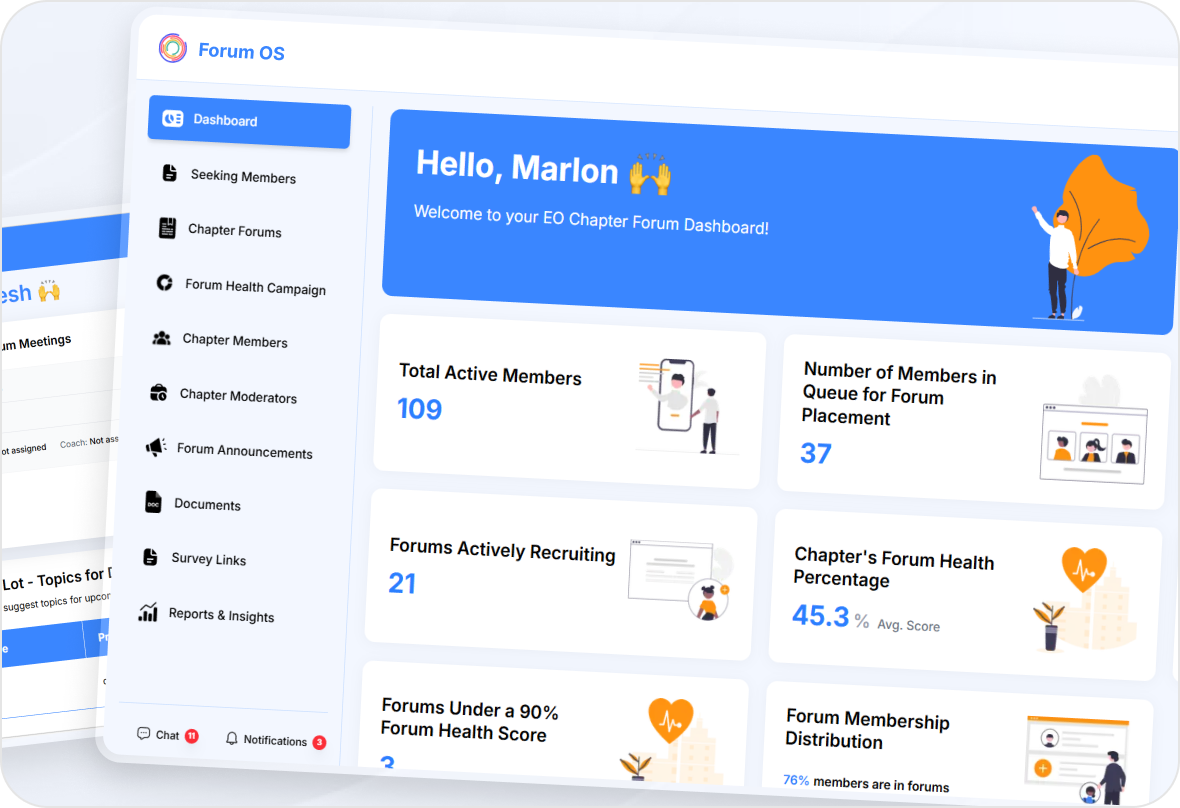
Chapter Dashboard
See everything in one place:

Active forums, total members, and recruiting status
Quick stats on health scores and participation
Instant visibility into who’s seeking placement
Features
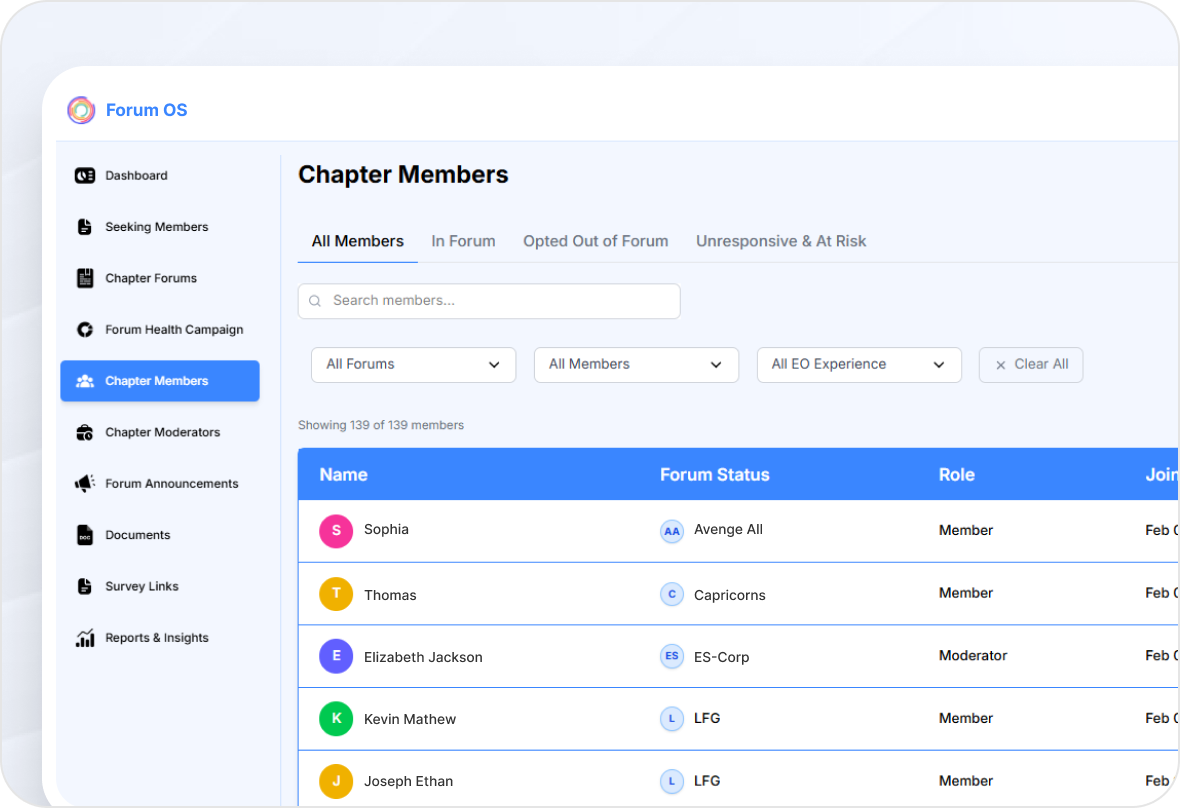
Member Management
A complete directory of your chapter:
View members in or out of forums
Track join dates, roles, and activity
Filter by forum, moderator, or risk status
Features
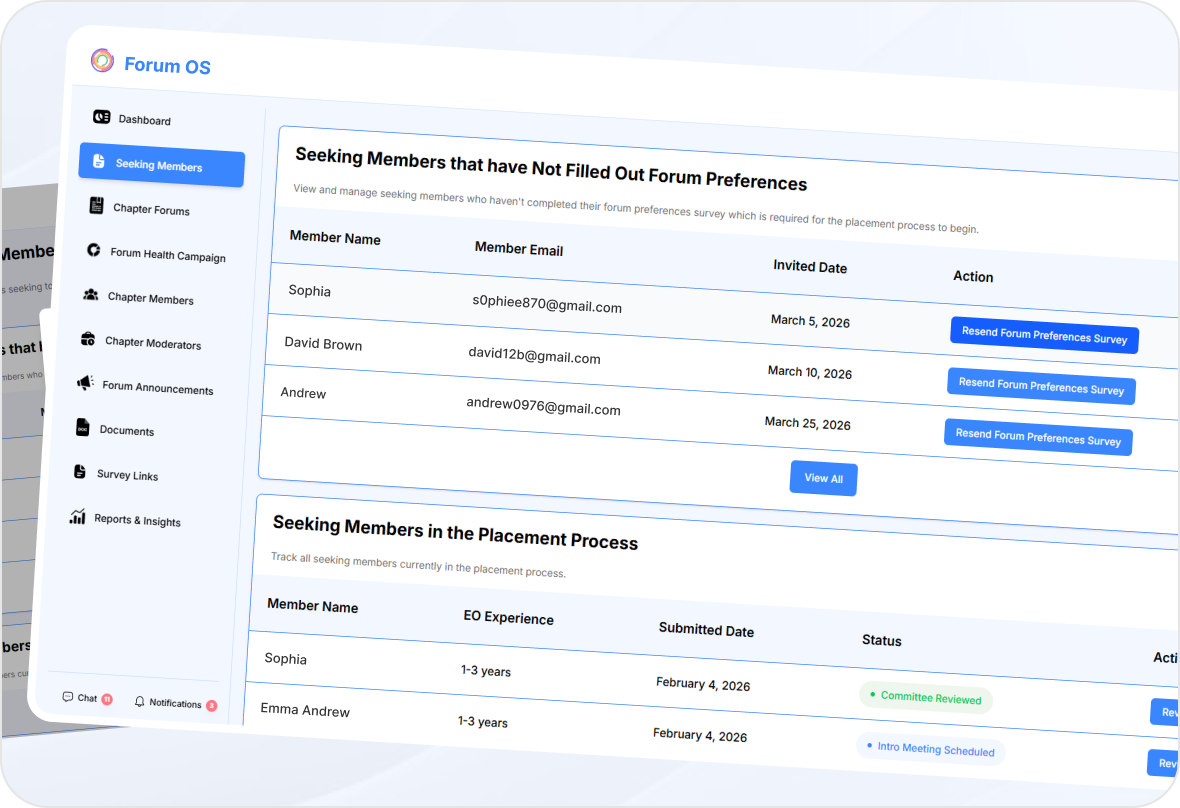
Forum Placement & Recruiting
No more email threads or mismatched groups.
Manage members seeking forums
Track placement surveys and readiness
Match new members to open seats with one click
Features
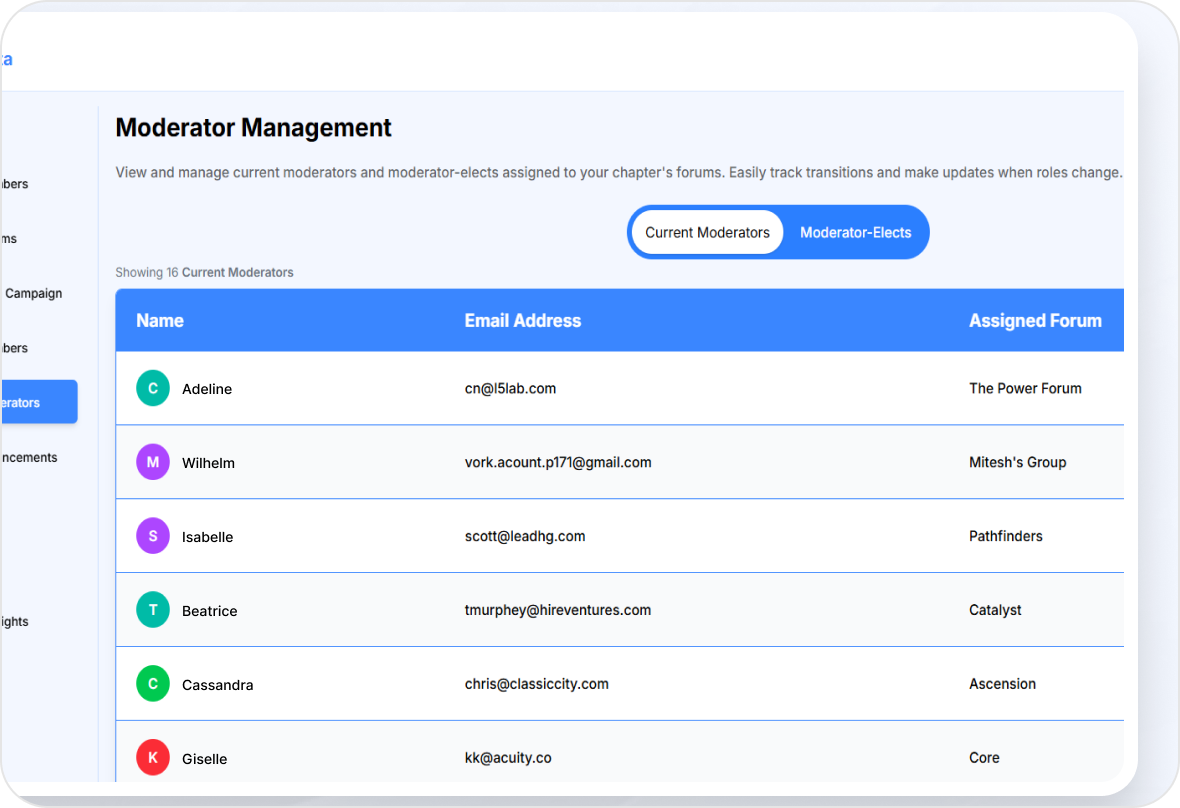
Moderator Management
Simplify leadership transitions.
View current moderators and moderator-elects
Assign, update, or remove roles instantly
Keep every forum properly led and accountable
Features
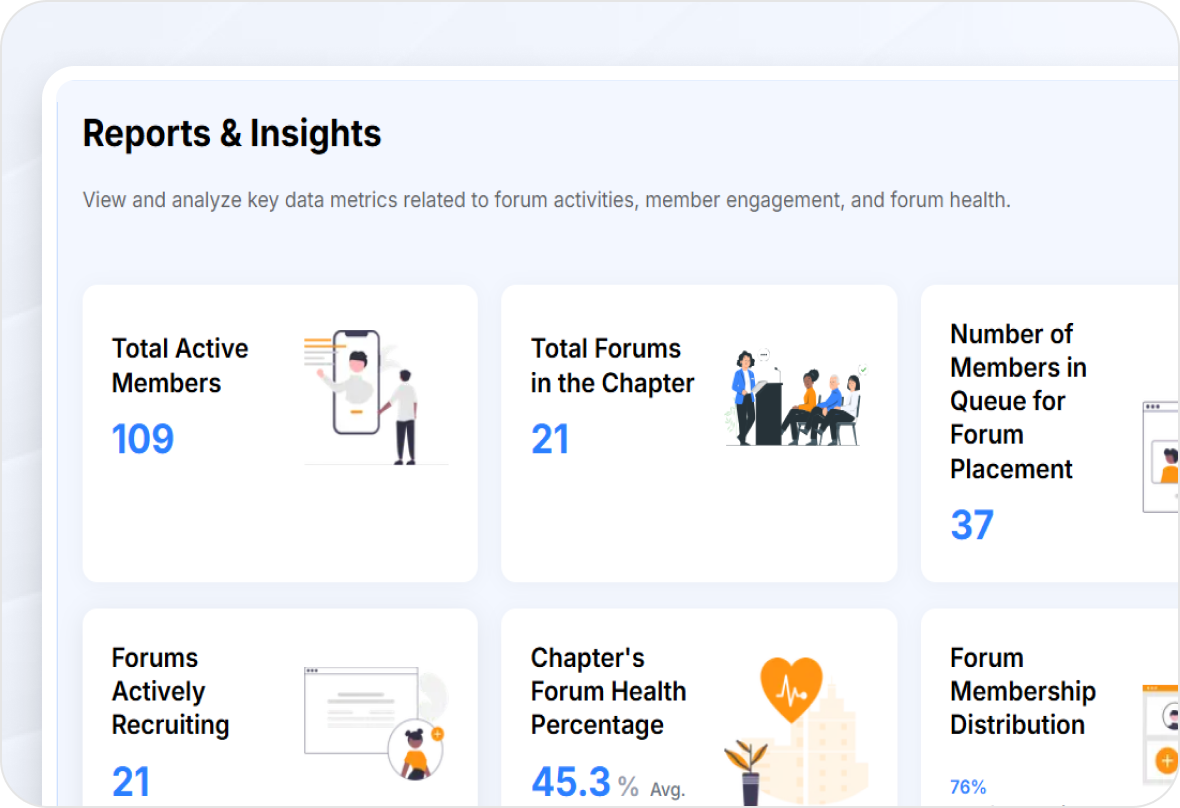
Reports & Insights
Turn participation into performance.
Visualize member distribution and forum health
Identify recruiting needs and growth opportunities
Export data for board reports and quarterly reviews
Features
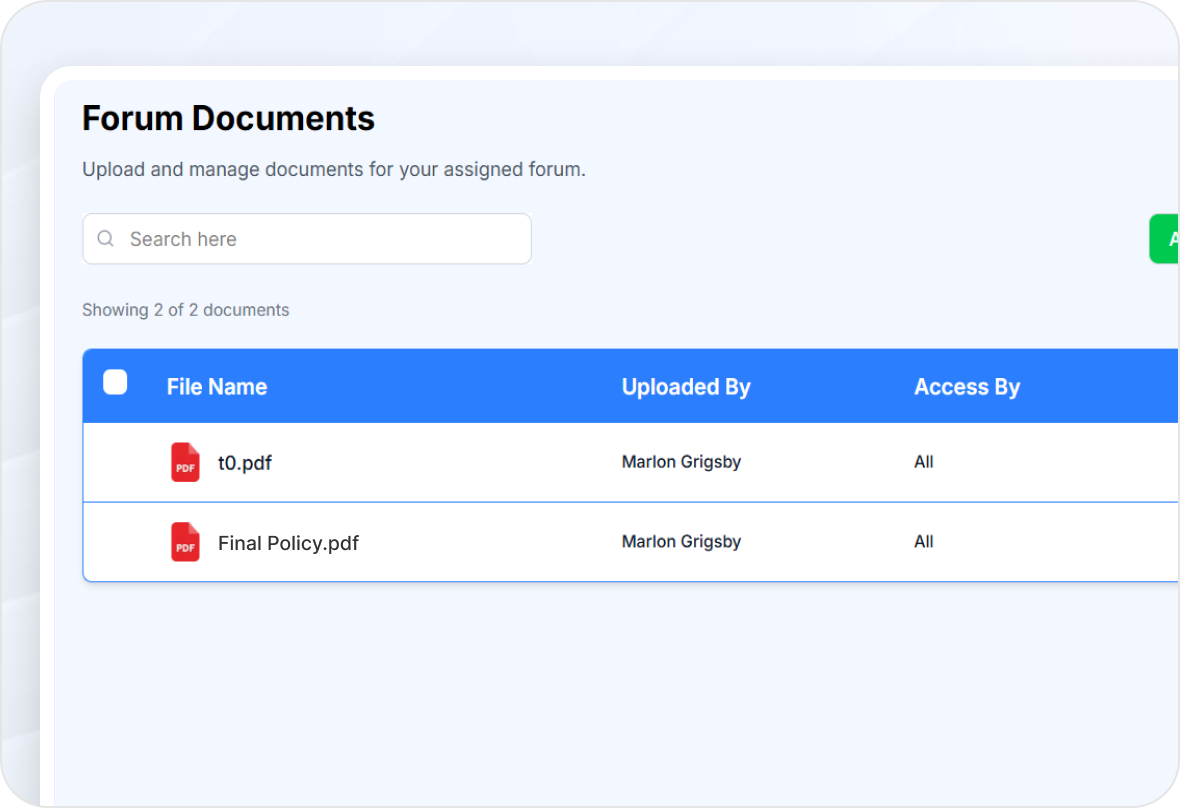
Document & Template Library
One secure hub for all shared resources.
Upload meeting templates, guides, and materials
Control visibility by forum or role
View, edit, download, and audit usage history
Features
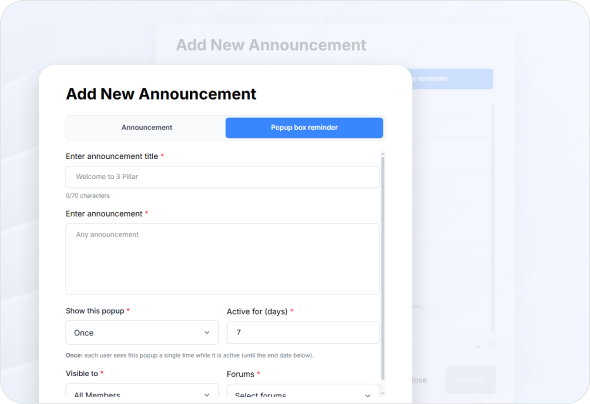
Announcements & Communication
Keep everyone aligned without mass emails.
Post announcements to specific forums or all members
Time-release updates and track readership
Streamlined, private, and fully searchable
Features
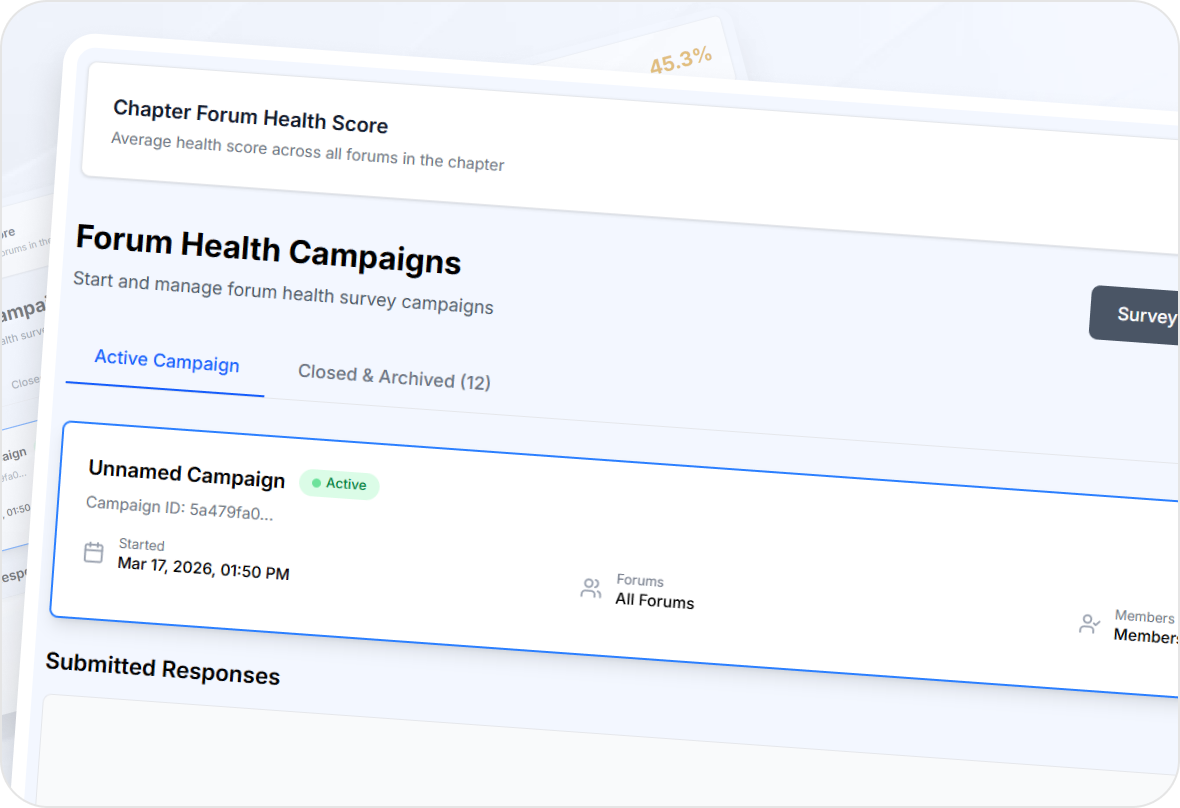
Forum Health Tracking
Measure engagement before problems appear.
Collect periodic health surveys
Monitor average scores and trends
Identify at-risk forums early and take action.
Purpose-Built Dashboards for Every Role
Each part of your community operates differently. That’s why Forum OS delivers role-specific dashboards designed to bring clarity, efficiency, and control across your entire ecosystem.
Schedule a Demo


© 2026 The OS Company, LLC. All Rights Reserved